Play the mathematics
Assign 24 original instruments to two equation layers. Play with a MIDI controller or the expandable 88-key keyboard, draw a piano-roll phrase, and try optional Melody, Chord or split-keyboard assistance.
 Peppers.GhöstMUSIC · MATHEMATICS · MOVEMENT
PEPPERS.GHÖST · THEOREM · FIRST EDITION
Pepper’s Theorem is the playable instrument. Ghost Theory FX shapes audio from your tracks. Two separate VST3 plug-ins for Ableton Live. Turn equations, modeled materials and samples into layered, spatial sound.
For producers who love to experiment, curious mathematical minds, and anyone who wants to hear what changing a number can do. Start with a factory sound or assign an instrument. Keep playing as you explore. Draft equations and choose when to Apply each graph.
Invitation password required. Windows downloads and an experimental Mac beta. Ableton Live is sold separately.
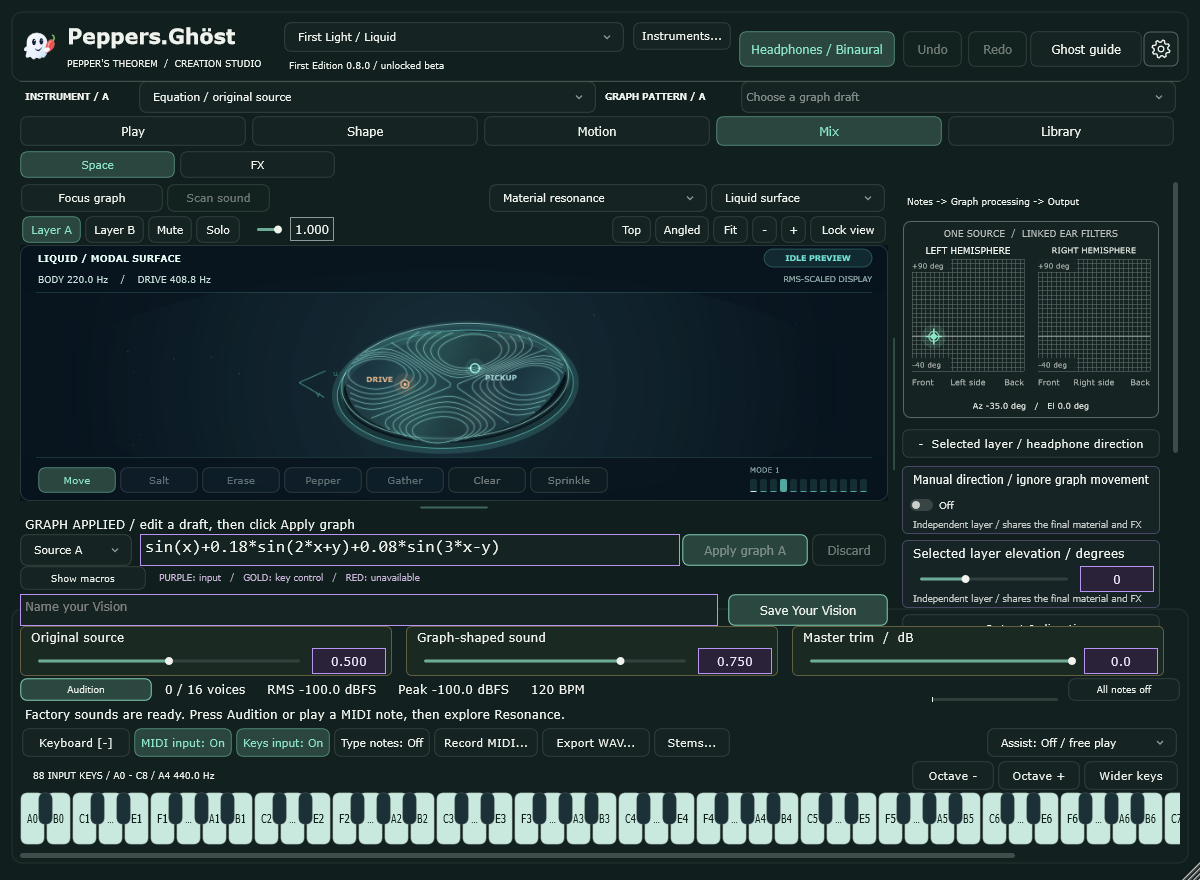

Native Theorem interface · First Edition beta · Standalone capture
PRIVATE INVITATION · FIRST EDITION 0.8.0
Enter the invitation password you received to download either Pepper’s Theorem or Ghost Theory FX. Choose the instrument, the Wave-derived audio effect, or the standalone app. Each has its own download. Choose your computer below. Windows ZIPs include the desktop beta guide and an FX Legacy compatibility update; Mac ZIPs include Mac beta installation notes.
Windows x64 / experimental macOS 13+ beta · VST3 · No subscription or activation needed for this beta. Sales remain paused.
A CLEAR START
Can’t find the instrument? Clear Browser filters, search its new name, and hold Alt while clicking Rescan if needed. Do not use Downloads or the development project as a custom plug-in folder. These installers preserve backups outside the scan folder.
Keep a backup of valued projects when updating a beta. Review the release notes before moving older automated Sets. Theorem is a separate product from earlier Wave FX releases; their existing installations and purchase records remain intact.
Read Theorem release notes →AN INSTRUMENT FOR YOUR CURIOSITY
Assign 24 original instruments to two equation layers. Play with a MIDI controller or the expandable 88-key keyboard, draw a piano-roll phrase, and try optional Melody, Chord or split-keyboard assistance.
Pour Salt and Pepper, explore luminous liquid and magnetic-inspired surfaces, or let Tempo Drip excite the liquid on the beat. Zoom, tilt and move closer to the detail.
Give A and B their own instruments, equations, levels, mute and solo. Blend Original and Graph paths, position the layers for binaural headphones, and add shared material resonance, five-band EQ, echo and reverb.
Save your equation, sound settings and view as a Vision. Export a note, phrase or processed recording as a reusable WAV, then bring it into Ableton's sample library. Install sound packs and export portable Visions.
CAPTURED IN THE ACTUAL DESKTOP SOFTWARE
Real interface captures from the tested beta. Open a screenshot to explore its detail.
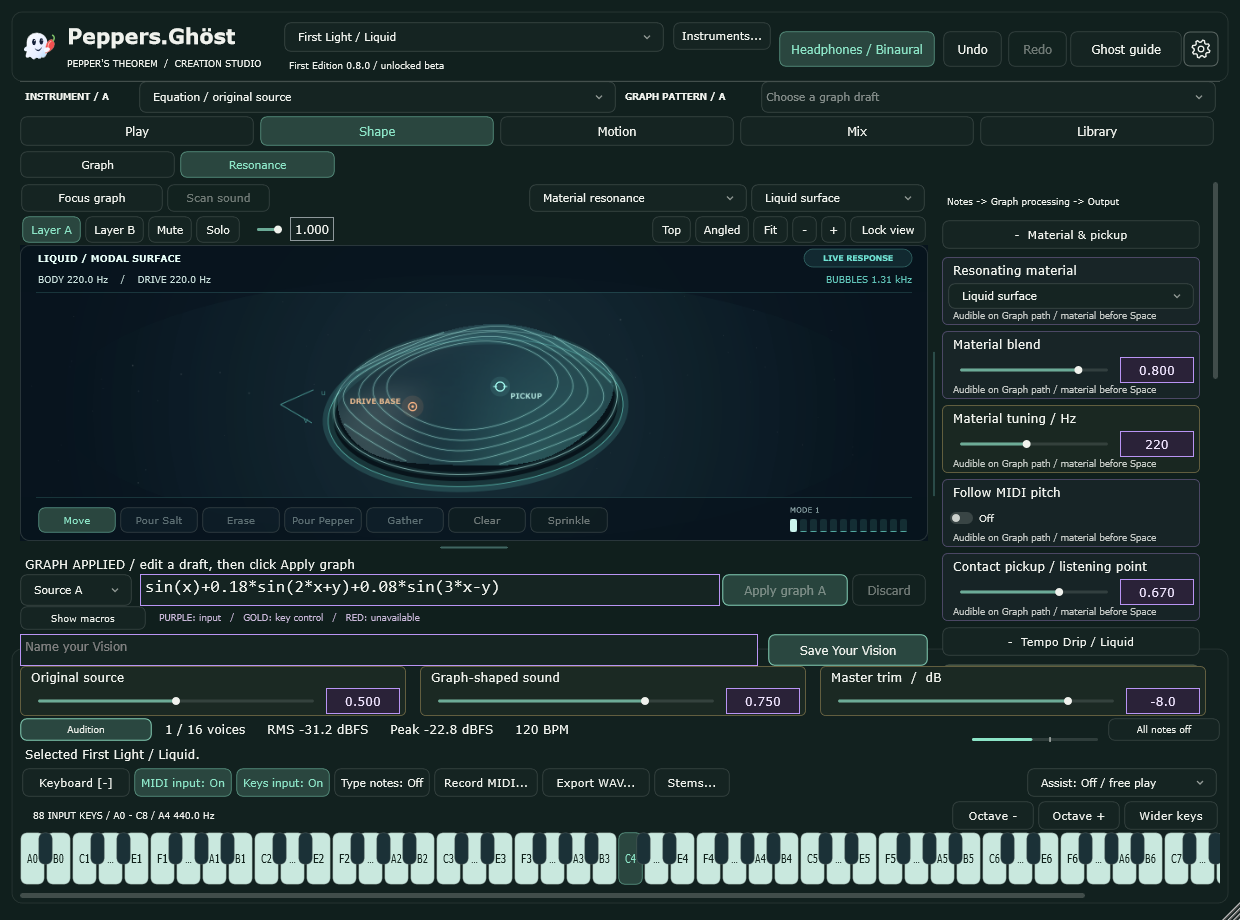
Explore a modeled liquid surface. Frequency, drive, damping and pickup position shape the resonator; Tempo Drip adds beat-timed excitation.
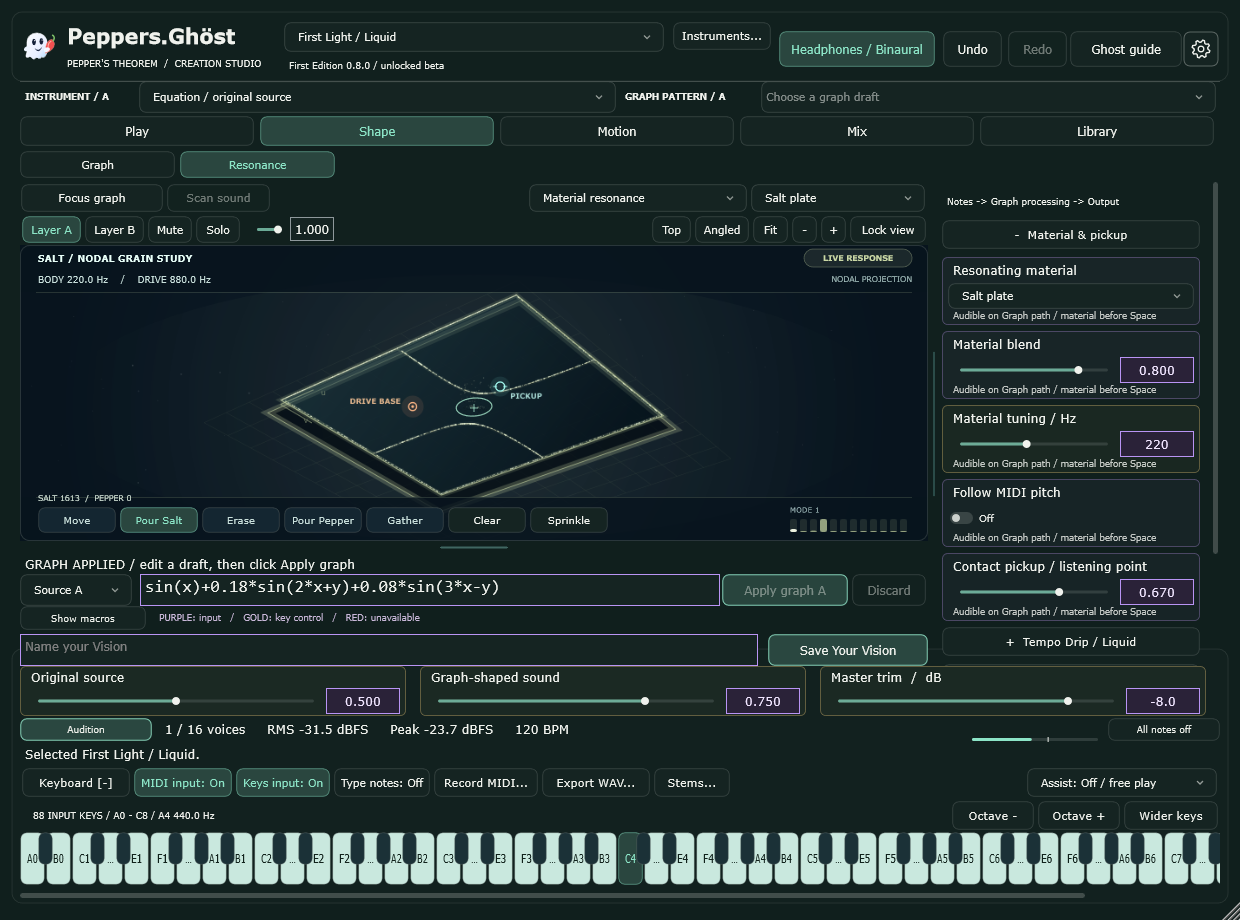
Pour and gather particles on the modeled plate. Pepper introduces a bounded creative texture on the Graph path; visual particle coverage is saved with your Vision.
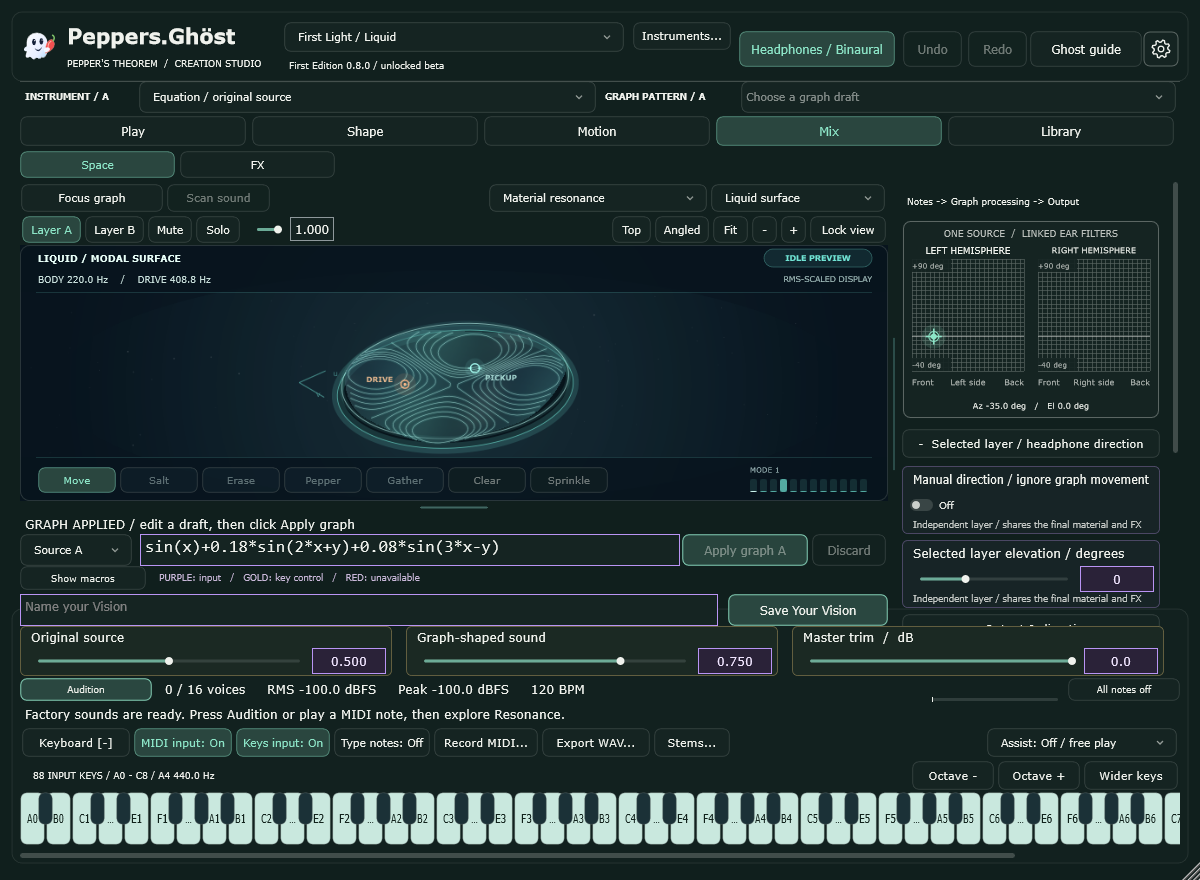
Set each instrument layer’s virtual direction using paired 25 × 25 headphone maps. Keep the clean SubOHM foundation centered while upper layers move.
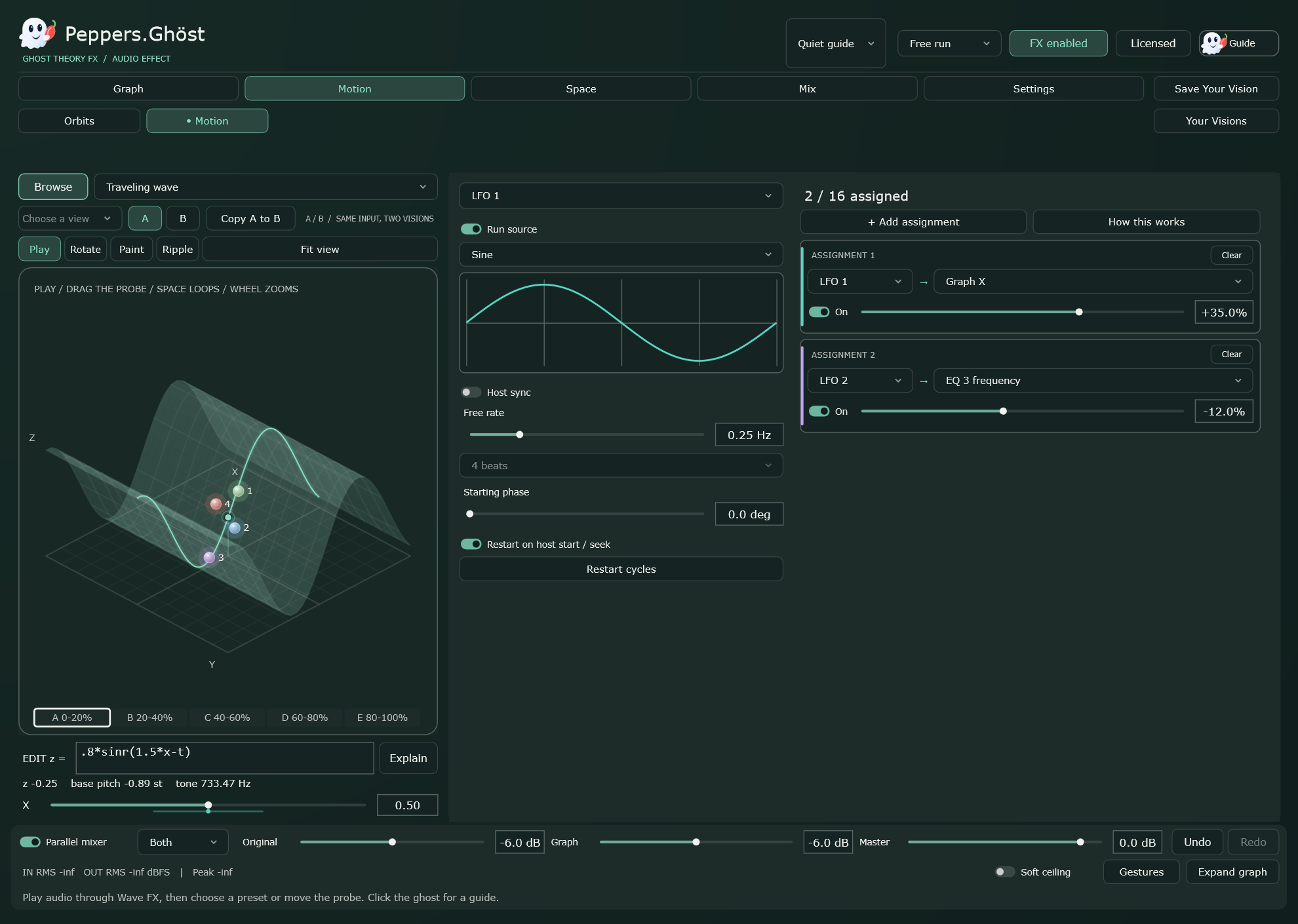
Ghost Theory FX keeps the Wave-derived modulation matrix, drawable sources and graph-processing workflow. Route motion into the sound controls and automate it in Live.
Visual materials use reduced real-time models and creative sonification. Generic binaural localization varies between listeners and headphones.
Made by Peppers.Ghöst, a Peppers Ghost Innovations LLC product. Share your discoveries and beta feedback at peppersghost.io@gmail.com.